
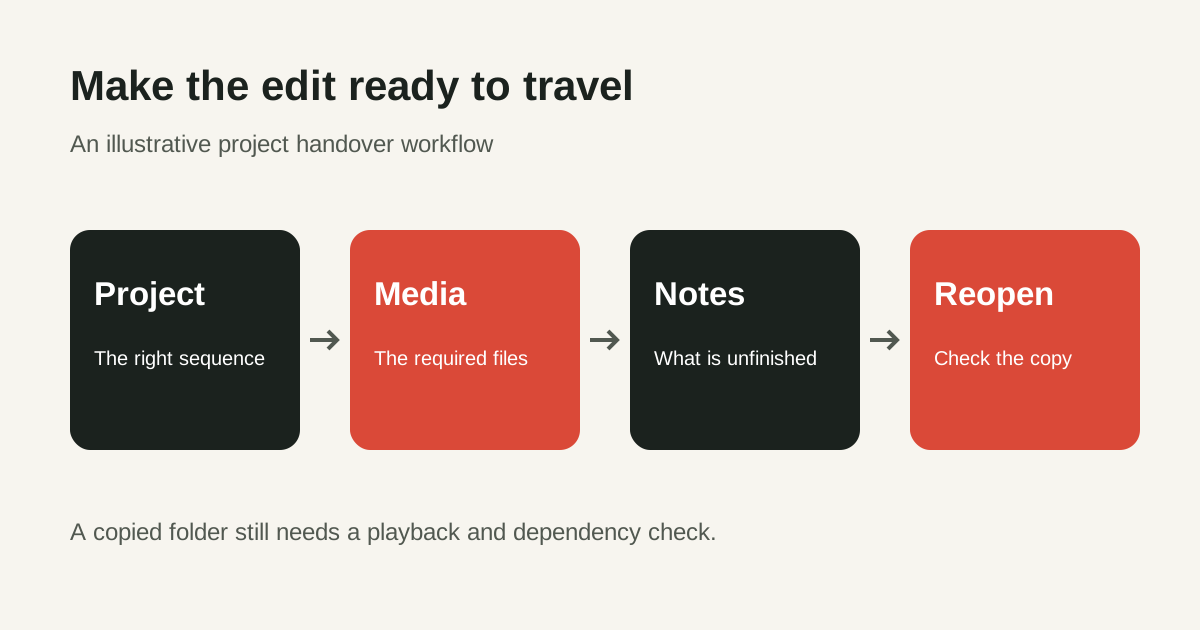
Your edit plays perfectly on your laptop. Then a classmate opens the project and sees missing footage, a different font and a silent music track. The export was ready, but the project was not ready to travel.
A useful handover lets another editor understand the cut, find its assets and continue without guessing. Practise this with a short film or interview you have permission to share. The workflow below is a suggested exercise, not a student case study or a promise about a course assessment.
Agree on what you are handing over
Start by asking whether the receiver needs a review video, an editable project, or both. A rendered video is useful for watching and commenting. An editable project also needs its supporting media and a clear record of dependencies. Sending the project file alone does not establish that the next person can recreate your result.
Write down the intended use: feedback, another editing pass or final delivery. Confirm which sequence is current, which application version you used, and who can receive the material. If an interview contains private information, restrict the transfer to the people who need it. Avoid including unrelated personal footage simply because it sits beside the project.
Make a small handover map
Create a clearly named delivery folder and keep your original working project separately. A structure such as Project, Media, Graphics, Audio, Exports and Notes can be easier to navigate than a desktop full of loose files. It is a suggested structure; use the team's agreed naming convention if there is one.
| Part | What the next editor needs |
|---|---|
| Project | The intended project copy and the exact sequence to open. |
| Media and audio | The files required for that sequence, with meaningful names. |
| Graphics | Relevant titles, artwork and notes about external dependencies. |
| Reference export | A playable version showing the intended picture and sound. |
| Notes | Version, permissions, outstanding changes and a contact for questions. |
Do not rename or rearrange media casually after collecting the project. Treat the collected folder as a delivery candidate. Make changes through a controlled new version so the project and its notes continue to describe the same cut.
Collect the selected Premiere sequences
In Adobe Premiere, open File > Project Manager and select the sequences you intend to deliver. Adobe's project-transfer instructions describe Collect Files and Copy to New Location, choosing a destination and calculating the estimated storage requirement. Check the destination before starting; keep the collection separate from your originals.
Collection and transcoding are different choices. Do not choose a conversion workflow merely because you want a smaller folder. Agree with the receiver whether the project needs original media, a converted working set or a rendered reference, then check the result against that agreement.
Adobe's archive documentation explains that excluding unused clips leaves those media out of the collection. That may suit a finished sequence, but a later editor could need alternate takes. It also describes converting linked After Effects compositions into flattened clips. A playable render does not preserve the same editing flexibility as the original composition.
List the things a folder cannot explain
Write a short dependency list rather than assuming that every machine has your setup. Note the application version, fonts, effects, plug-ins and external compositions used. State what is included, what is rendered into a reference file and what the receiver must obtain separately.
For music, stock images, templates and generated assets, retain the source and permission information relevant to the project. Do not put installers, account passwords or licence keys into the delivery. Check whether an asset can be passed on before copying it. This is a practical permission check, not a substitute for reading its terms.
If an AI tool helped make a background, voice or temporary visual, identify that asset and describe its role. A placeholder should not quietly become a final approved element. Keep real people and any permission-dependent material out of a public practice package unless the necessary permission is clear.
Reopen the copy and watch it
The useful test is the collected copy, not the original project you already know works. Ask the receiving editor to open the delivered folder on their machine when possible. If you can only check on your own machine, record that limitation; the original media may still be accessible there.
- Confirm that the intended sequence opens and that required media is available.
- Compare the picture with the reference export, especially titles, graphics and transitions.
- Listen through dialogue, music and effects rather than checking only the opening.
- Inspect captions or subtitles, spelling, line breaks and the final frame.
- Record any missing dependency or replacement the receiver had to make.
Keep the original files until the receiving person confirms the agreed handover works and your retention arrangement allows removal. A cloud transfer finishing successfully only confirms that files transferred; it does not show that the edit opens correctly.
Write a note someone can act on
For a fictional interview exercise, the note might read: “Open Interview-review-v03. This is the version awaiting feedback. The interviewee's name needs confirmation before release. Music is temporary and must be replaced or cleared. The reference export shows the current cut. Captions have been checked against the recording.”
Separate “ready for feedback” from “approved for publication”. Give outstanding tasks an owner or a clear question. A specific note about an unfinished title is more useful than a vague warning to check everything. Keep the same version name on the folder, reference export and notes.
Common questions
Is the exported video enough?
It can be enough for viewing feedback. If someone must continue editing, agree on an editable-project handover and verify the supporting files and dependencies.
Should I remove unused footage to save space?
Only after agreeing on the purpose. A finished-cut package and a package for choosing alternate takes need different material. Preserve your originals while you check the copy.
Does collecting the project prove it is ready?
No. Reopen the delivered copy and compare it with the reference. Record what was actually tested and any remaining access or dependency issue.
Explore the Video Editing and VFX programme and VFX Pro course, or ask about a free demo class. Bring a practice project and its handover note to discuss the editing skills you want to improve.